
ColdFusion Datasource
ColdFusion is a great environment for connecting to, and performing queries against a database.
Reasons for using a database could include authentication to a members' area, serving up content from a content management system, logging user feedback, and more.
Any website that uses a database, needs a way to connect to the database and a way to query the database (eg, using SQL Statements).
Create a ColdFusion Datasource
To allow ColdFusion to connect to a database, you first need to create a datasource. A datasource provides the connection between Coldfusion and the database. Another way of looking at it is that the datasource provides the link between your CFML code and the actual database.
You create datasources via the ColdFusion Administrator.
Follow the steps below to create a ColdFusion data source.
- Log in to the ColdFusion Administrator (usually at http://{website_url}/cfide/administrator)
- Click on the Data & Services icon. You should see something like this under the Data Sources tab:
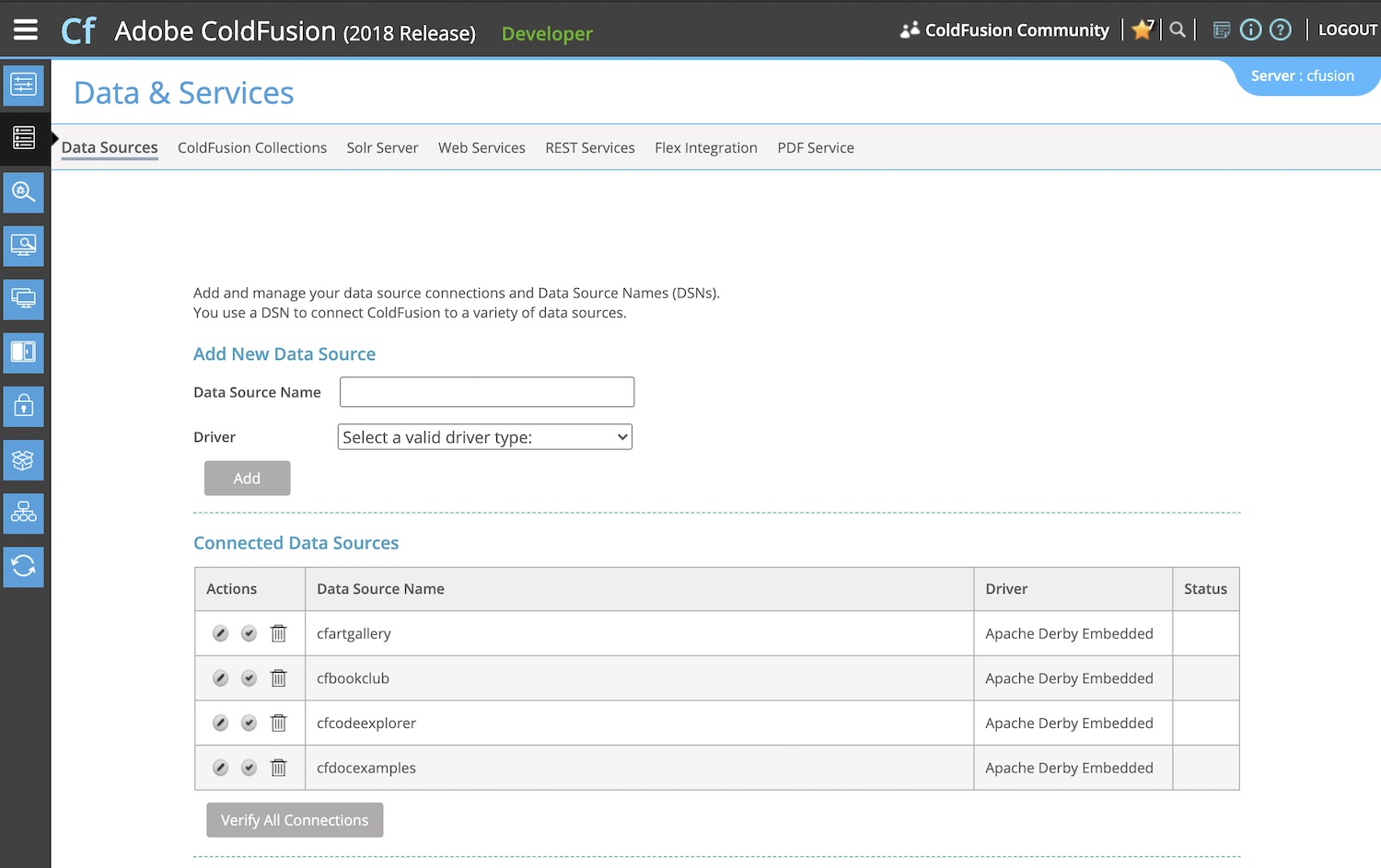
- Under Add New Data Source, enter a data source name and driver type (e.g. Microsoft SQL Server, Oracle, etc). The driver type will depend on your database type.
- Click Add
- Click Show Advanced Settings (optional)
- Enter the details of your database.
- Click Submit
Once you click Submit, ColdFusion will verify the connection to the database. If there are any problems, you should check that the details you entered here match the details of the database (for example, usernames/passwords, server name etc).
Now that you've created a datasource, you can now use the datasource name in your ColdFusion database queries.