
SQL Server - Query Designer
In the previous lesson, we created a SQL script using SQL Server Management Studio (SSMS). In this lesson, we will look at how to write SQL scripts using the graphical query designer.
About The Query Designer
The graphical query designer is a graphical user interface that allows you to build queries to run against your SQL Server database. This can be particularly useful when building complex queries that involves many tables, views etc.
The query designer can also be beneficial for those who are learning how to write SQL. This is because you don't need to remember the SQL syntax in order to write queries against your database - the query designer generates the SQL for you.
Building Your Queries
To build a query with the query designer:
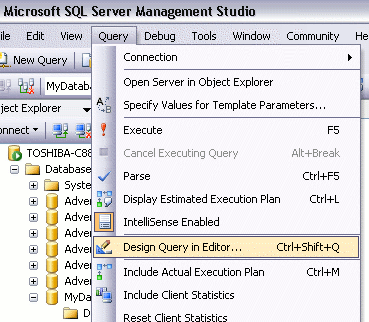
- Select Query > Design Query in Editor...:
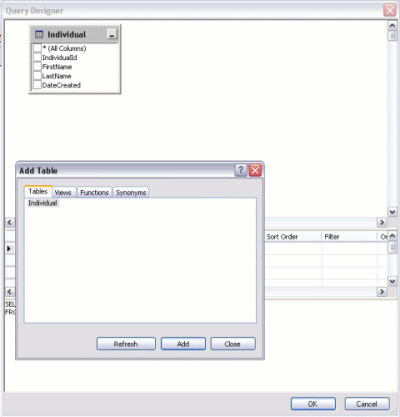
- Add the tables you want to run the query against. In this case, we only have one table to choose from.
- Select the column/s you want to display in your query:
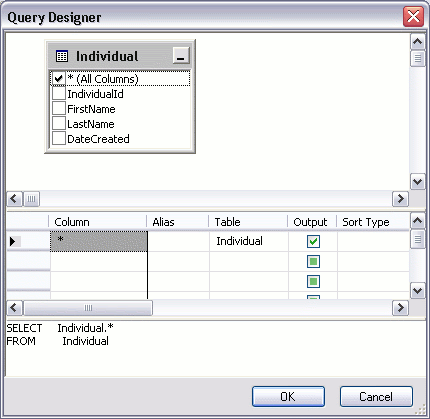
- Click "OK"
Once you've clicked OK, you will find the query has been added to your workspace. You can then run it as you would any other query.